Content systems
Turn recordings, notes, and ideas into a consistent pipeline of publishable work.
Automate the work that repeats every week—video editing, prospect research, inquiry handling, and production checks—around the tools you already use. Keep your time for creative direction, customer work, and decisions only you can make.
30 minutes on Google Meet. We map one recurring workflow and identify the part worth testing first.
These systems are based on workflows I use in real projects. Important decisions and outgoing communication always receive human review.
Automation starts with the work that actually takes your time. I look at the tools and handoffs you already use, then build something you can keep running without a forced migration.
Turn recordings, notes, and ideas into a consistent pipeline of publishable work.
Find the right people, prepare relevant outreach, and keep follow-up from falling through.
Build repeatable AI-assisted workflows for visual concepts, variations, and delivery checks.
Use AI like a real customer to expose friction and turn it into an actionable report.
The cards compare active human work—not unattended AI processing time. Time ranges are rounded to 30 minutes and are estimates; actual time varies with the project, tools, and review needs.
The creator owns the idea, expertise, script, recording, filming, and final decisions. AI assists with script review, retake cleanup, editing, captions, and publishing preparation.
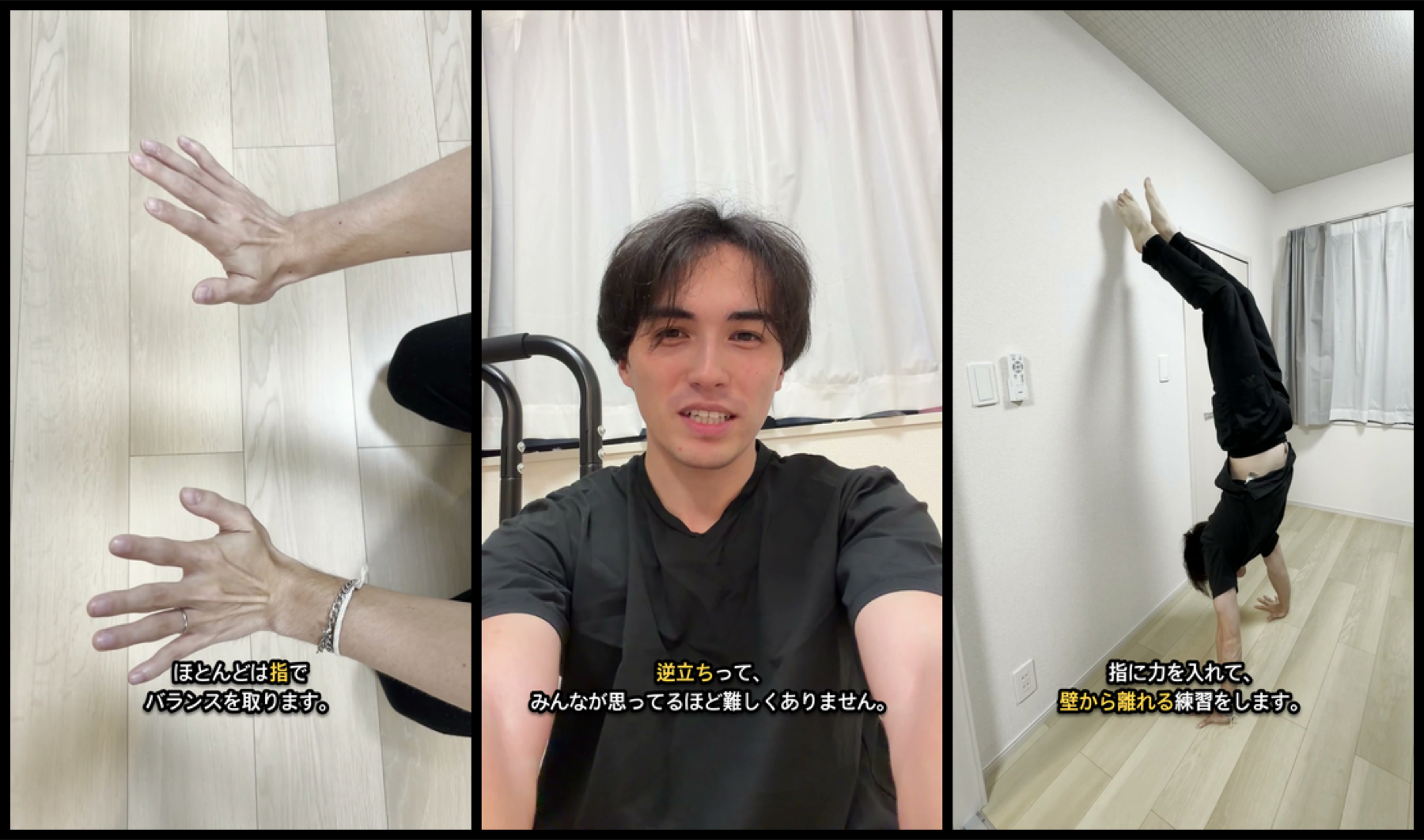
Active human labor only. Unattended AI processing and wait time are excluded.
The creator approves each stage and performs the final publish action. Displayed times are estimates; actual time varies by project.
Active human labor only. Unattended AI processing and wait time are excluded.
Expand themes and expressions, lighten image production and specification checks, and preserve the creator's visual voice.
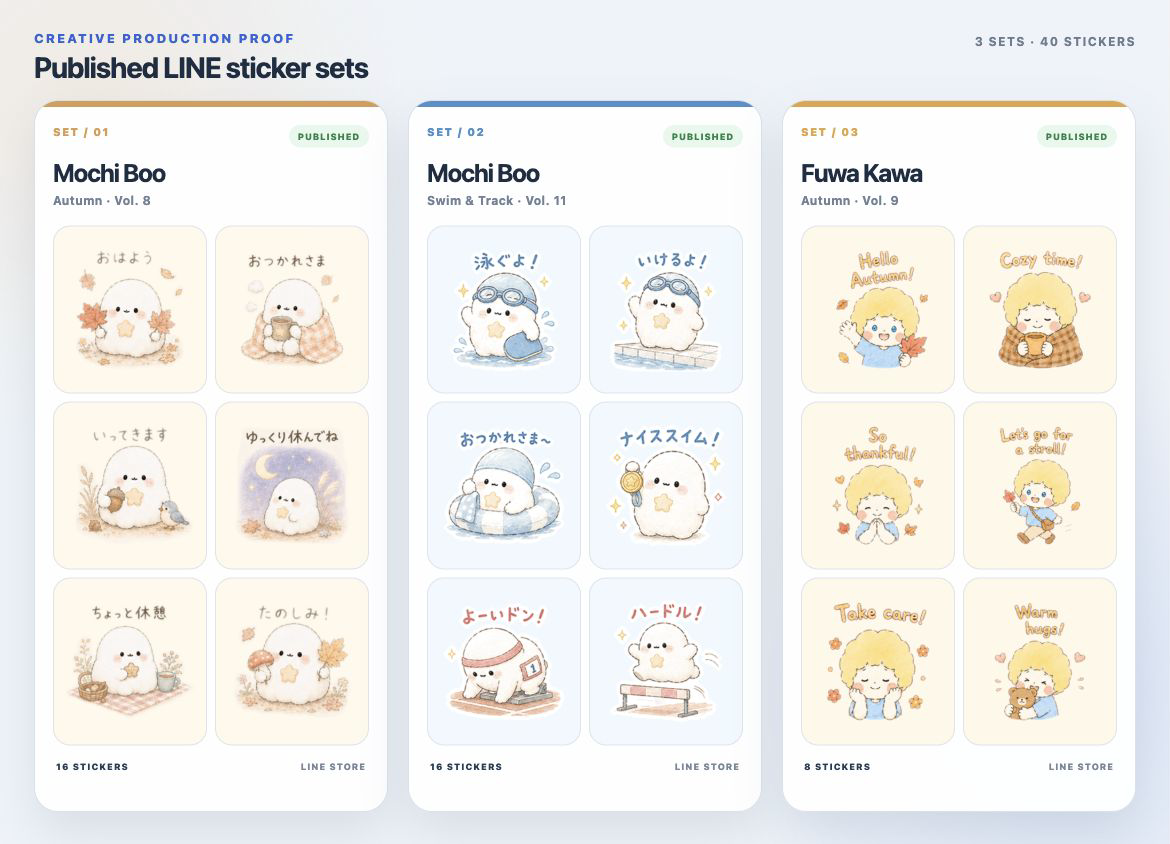
Active human labor only. Unattended AI processing and wait time are excluded.
The creator retains creative direction and final approval. The showcase contains real artwork from three published sets. Displayed times are estimates; actual time varies by project.
Active human labor only. Unattended AI processing and wait time are excluded.
Research prospects, fit, value hypotheses, and individualized drafts. A person approves each message before it goes out; only activity logging and follow-up scheduling are automated.
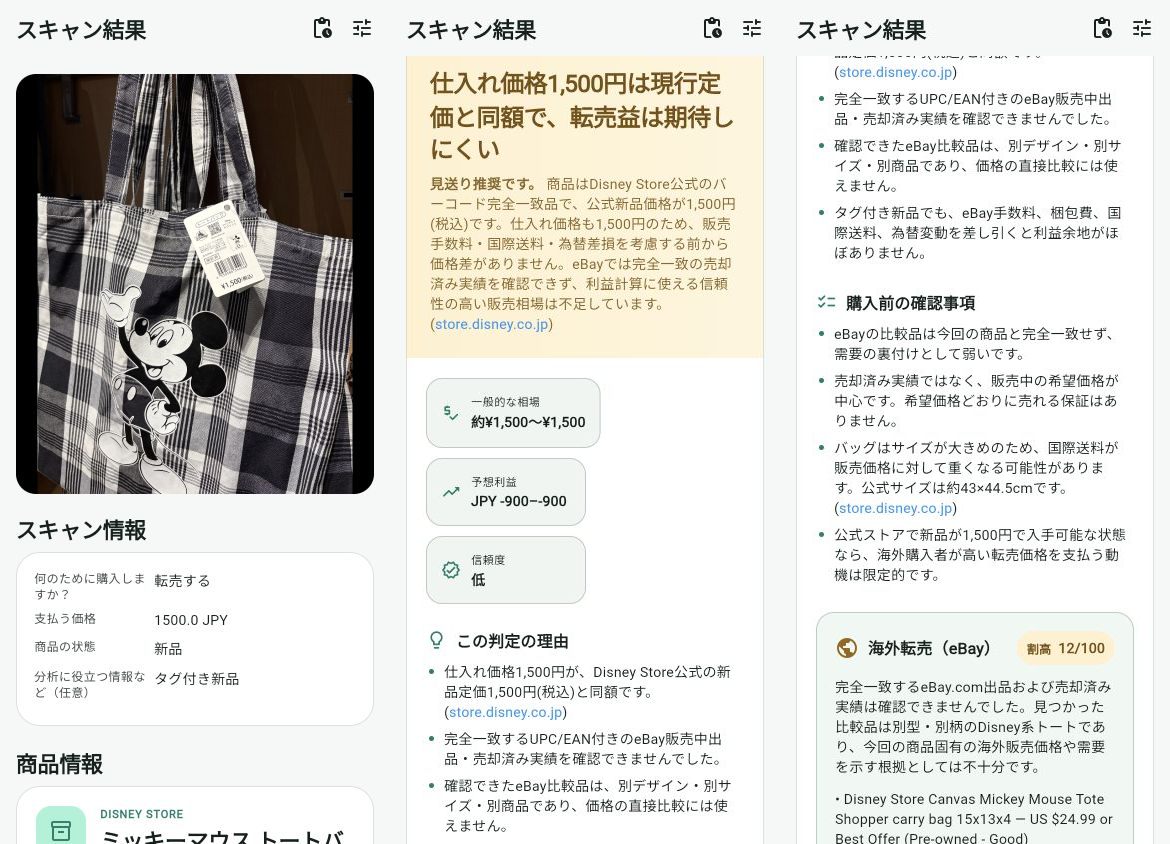
Active human labor only. Unattended AI processing and wait time are excluded.
This is not mass outreach. Follow-up drafts are also reviewed by a person before any message goes out. Displayed times are estimates; actual time varies by project.
Active human labor only. Unattended AI processing and wait time are excluded.
Test authentication and onboarding, diary workflows, review tools, Premium features, settings, and referral safeguards with dedicated accounts, then organize evidence and improvement priorities.
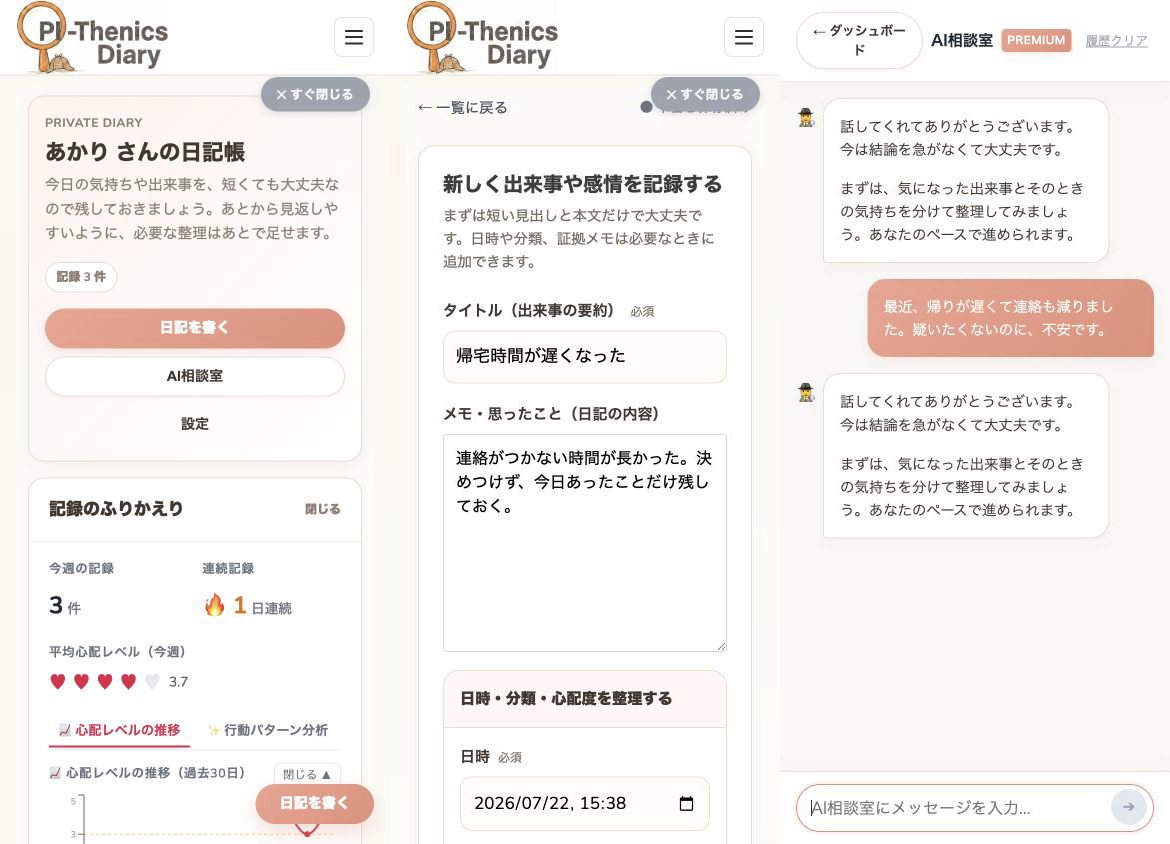
Active human labor only. Unattended AI processing and wait time are excluded.
Testing stays within approved environments and does not use real customer records. Displayed times are estimates; actual time varies by project.
Active human labor only. Unattended AI processing and wait time are excluded.
I organize your current workflow, identify the work AI can reduce, and build it into a practical system you can actually use.
From AI workflow design through implementation and adoption, I handle the process end to end.
Pricing depends on flow complexity, connected tools, permissions, exception handling, data migration, and custom development. Third-party service and API usage fees are separate. The written quote states the final amount and applicable tax treatment. Nothing is charged before you agree.
Discuss your workflowMap the inputs, decisions, tools, exceptions, and points where work gets stuck.
Understand the work before buildingDecide what AI should handle and where a person should make the judgment.
Review the design before implementationBuild a system that fits the real work and verify it using safe sample data.
Prove it with safe dataRefine it through use, then explain operation and stop conditions so you can run it yourself.
Handover session + 14-day bug supportProjects involving multiple workflows, multiple tools, API integrations, or custom development.
Regular reviews, checks, troubleshooting, minor changes, and improvement suggestions. New workflow builds are quoted separately.
For people who are not yet sure what can be automated. I map your current work and propose specific opportunities for AI improvement and automation.
If you continue into implementation, the design fee is deducted from the initial project price.You do not need to know which AI solution you need. I organize the current work, identify where AI is genuinely useful, and then build a practical system around it.
Organize the work you do today and how it actually moves from start to finish.
Decide what AI should handle and where a person should make the judgment.
Implement it as a practical system that fits the real work.
Refine it through use until you can operate it confidently yourself.
The goal is not more AI. It is to return time to the work that matters.
I am an IT engineer working as an FDE (Forward Deployed Engineer), building AI-powered systems and improving business operations.
AI is my core profession. I use it in my daily work while continually improving my own workflows. This has allowed me to run multiple projects and creative activities independently while making video production, research, customer communication, and other work more efficient.
Through Seiji Flow, I draw on that hands-on experience to help solo business owners, creators, and small teams reduce repetitive work and build practical AI-enabled systems that let them focus on what truly matters.
I work in both Japanese and English and can support not only AI adoption, but also broader IT development and operational improvement.
My interests include calisthenics, violin, and gaming. I am working toward a way of life where the time created by AI can be spent with family and on the things I genuinely want to do.
Book a free consultationRecurring work with a clear input, a set of decisions, and a useful output is a strong candidate: content repurposing, lead research, draft responses, asset checks, reporting, and product testing are all good places to start.
No. You bring the context and the judgment; I translate the workflow into a practical system and explain what you need to run it.
Not by default. The right amount of human approval depends on the risk and the work. We make review points explicit instead of hiding them.
AI Workflow Setup starts at ¥79,800. Multi-workflow or API integration projects start at ¥198,000, and optional continuous improvement support starts at ¥29,800 per month. Third-party service and API usage fees are separate. After the free call, I provide a fixed-scope quote that states the applicable tax treatment. Nothing is charged before you agree.
A one-workflow pilot usually takes 7–14 days. If the work needs multiple systems or complex permissions, the quote will state a clear timeline.
Google Workspace, browser-based work, forms, spreadsheets, APIs, and video or production tools are all possible. I prioritize fitting the workflow around the tools you already use.
We start with synthetic data and dedicated test accounts. I request only the access needed, and you should never send passwords or API keys through the inquiry form.
Yes. You receive operating instructions, review points, and stop conditions, and we run the workflow together during handover. Optional continuous improvement support covers regular reviews, troubleshooting, minor changes, and improvement suggestions. New workflow builds are quoted separately.
The written project agreement makes the usage and ownership of the delivered workflow, documentation, and outputs explicit. Third-party services and existing tools remain subject to their own terms.
I do not fully automate consequential medical, legal, or hiring decisions, untargeted mass outreach, or data collection that violates a platform’s terms.
We choose one recurring workflow and map its inputs, decisions, tools, and failure risk. You leave knowing which part is worth testing first.
Tell me what repeats, where it slows you down, and what “better” would look like.
Check if this workflow can be automated